What it does
Turns a prompt or a JSON layout into a new image. Renders English and Chinese text, follows canvas sizes, and lets you iterate by changing the prompt.
MOSS-IMAGE / EDITING BOUNDARY
No. The hosted MOSS Image generator is text-to-image only. It cannot open an uploaded photo, remove an object, replace a background, or restyle an existing image. This page shows what it can do, the workaround that actually works, and what real editing requires.
Last reviewed 2026-10-26 · Independent hosted service · Not affiliated with OpenMOSS
THE SHORT ANSWER
There is no upload field and no editing mode in the hosted generator. Every image starts from a text prompt or a Layout JSON document. If your task starts with a photo you already have, this is the wrong tool — and we would rather say so before you spend credits.
Turns a prompt or a JSON layout into a new image. Renders English and Chinese text, follows canvas sizes, and lets you iterate by changing the prompt.
No photo upload, object removal, background replacement, inpainting, outpainting, masking, style transfer, face swap, or upscaling.
For a new image, rewrite the prompt and regenerate. For a pixel-level edit of an existing photo, use a tool with masking or inpainting — this service cannot preserve the original.
The rest of this page documents the workarounds and their limits, with recorded run metadata where we have it.
WORKAROUND 01
The closest thing to an edit is to describe the final image you want and generate it again. This produces a new image; it does not modify the original file, keep the subject identical, or preserve the original composition.
Write down the subject, layout, colours, and text you want to keep. Be specific about what must stay the same.
Rewrite only the part you want different: a colour, a material, a season, or a style. Keep the rest of the instruction unchanged.
Submit the new prompt, then compare the result with the original. If it drifts too far, simplify the instruction and try again.
ORIGINAL BRIEF
An editorial café poster titled “MOSS CAFÉ” on cream paper, a deep moss-green vertical band, a serif headline, and a two-column menu.
REWRITTEN BRIEF
An editorial café poster titled “MOSS CAFÉ” on cream paper, a deep red vertical band, a serif headline, and a two-column menu. Keep the layout, type, and copy identical; change only the band colour.
We publish paired rewrite runs only when both images come from recorded generations. Until then, this template shows the instruction pattern, not a verified before-and-after edit.
RECORDED OUTPUTS
Every image below comes from a recorded hosted run, with its exact prompt, size, credits, and wall-clock time. They show what a prompt can produce — and that changing the image means starting over.
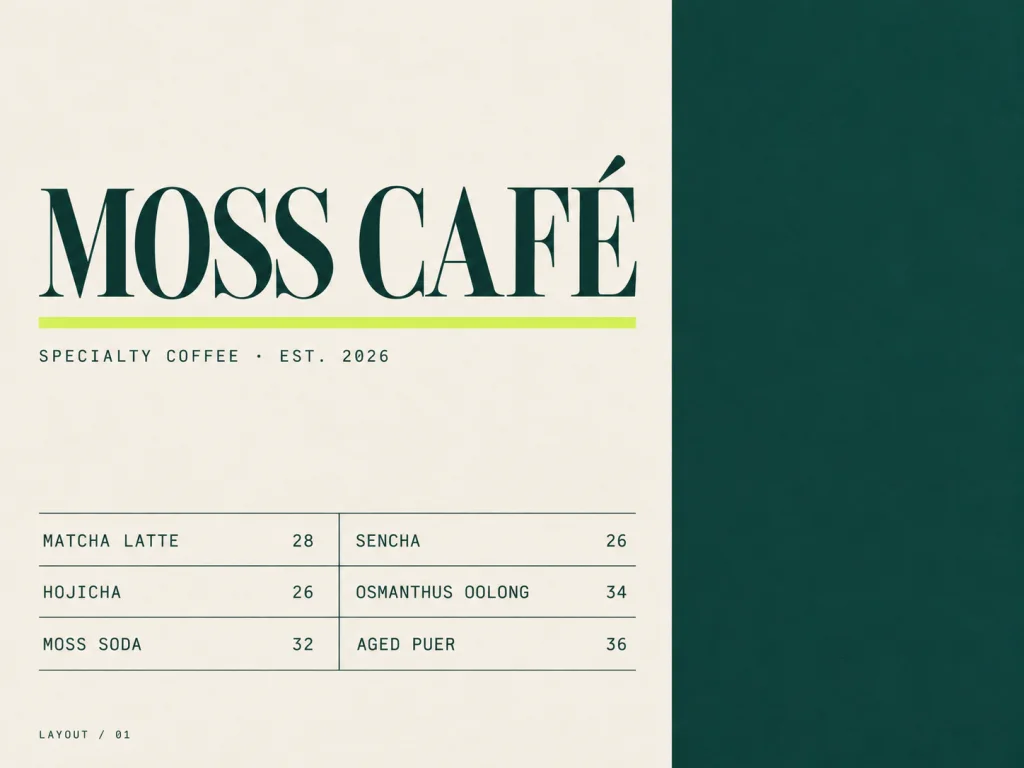
A landscape 4:3 editorial café poster on warm cream paper (#F6F1E6) with a subtle matte grain. A deep moss-green vertical band (#0E3B35) fills the right third of the canvas. In the upper left, the exact title 'MOSS CAFÉ' in a large high-contrast serif, with a small mono subtitle 'SPECIALTY COFFEE · EST. 2026' beneath; a fluorescent lime rule (#D9F65C) under the title. Lower left: a compact two-column menu with hairline rules, three items per column: 'MATCHA LATTE 28', 'HOJICHA 26', 'MOSS SODA 32', 'SENCHA 26', 'OSMANTHUS OOLONG 34', 'AGED PUER 36'. Small mono footer label 'LAYOUT / 01'. Flat editorial print design, precise Swiss grid, razor-sharp typography, no photographs, no gradients, no watermark, no extra text.
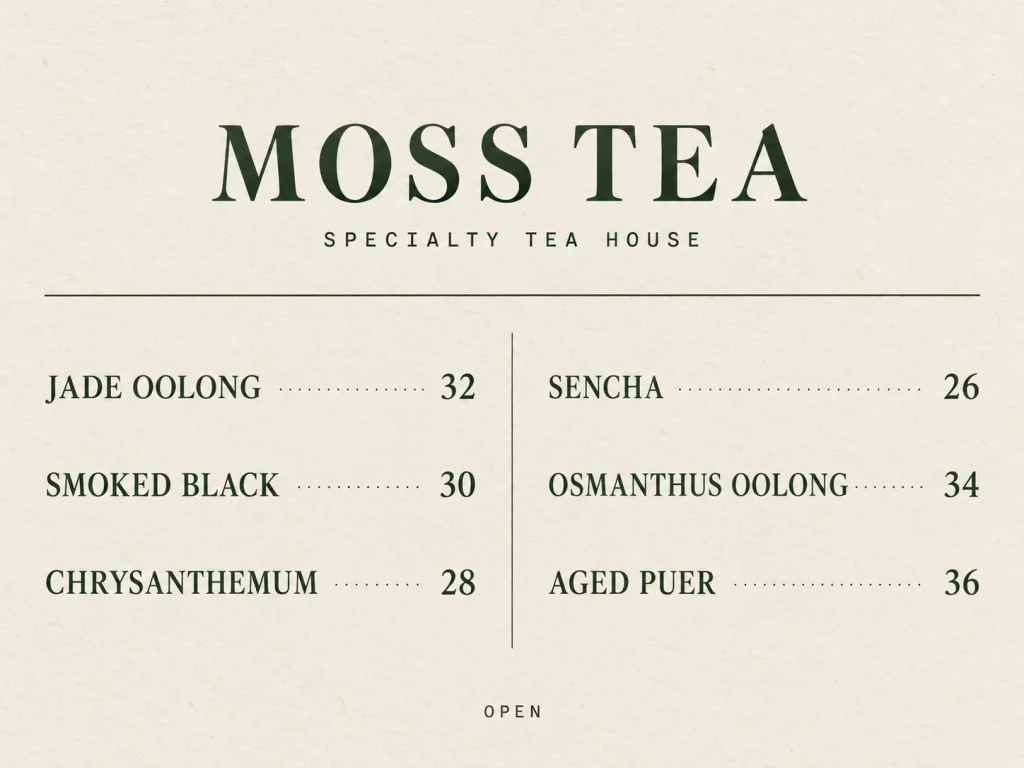
A landscape 4:3 one-page menu for a modern tea house, muted moss palette on uncoated cream paper (#F3EFE4) with a faint fiber texture. Centered at the top, a serif wordmark 'MOSS TEA' with a small mono subtitle 'SPECIALTY TEA HOUSE' directly beneath, then a thin dark-green divider. The body is two columns separated by a hairline vertical rule, three teas per column; each row has an English name and a right-aligned price joined by dot leaders: 'JADE OOLONG 32', 'SMOKED BLACK 30', 'CHRYSANTHEMUM 28', 'SENCHA 26', 'OSMANTHUS OOLONG 34', 'AGED PUER 36'. Bottom centered footer: 'OPEN' in small mono capitals. Minimal typographic layout, generous negative space, flat print, no photos, no illustration, crisp legible text, no watermark, no extra text.
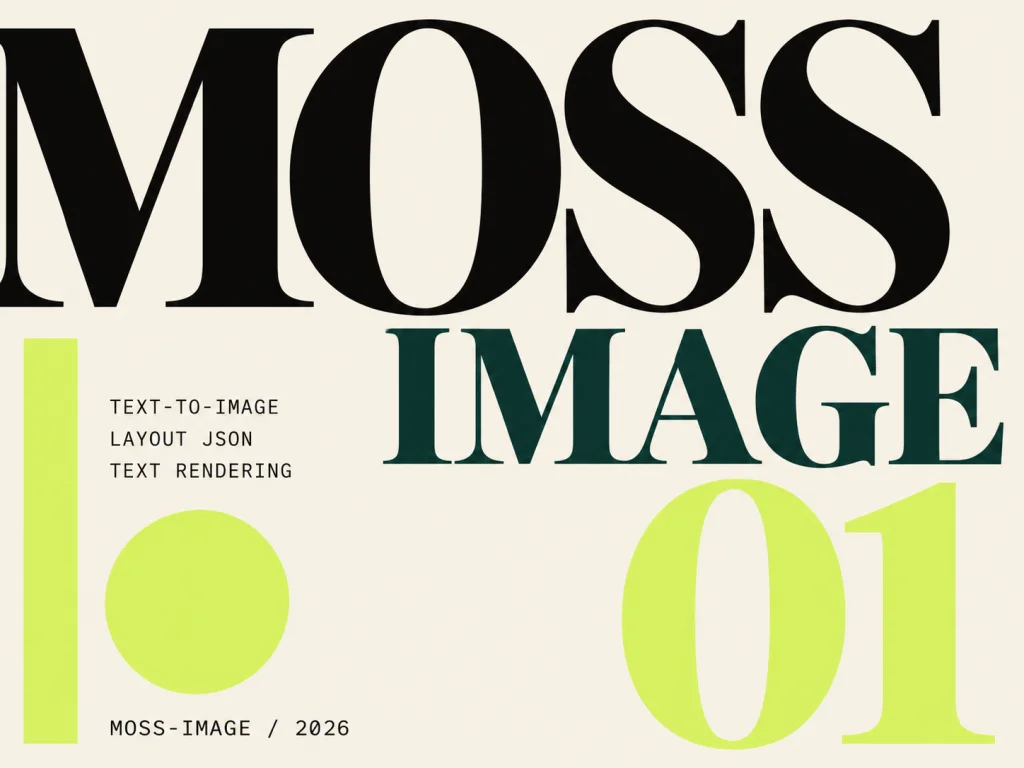
A landscape 4:3 type-driven poster for an AI image generator, flat graphic design, no photographs. Warm cream background (#F6F1E6). A huge black serif 'MOSS' cropped by the left edge; 'IMAGE' in deep moss green (#0E3B35) beside it, slightly smaller; a large lime numeral '01' aligned to a strict modular grid. A fluorescent lime (#D9F65C) vertical bar and a lime circle as accents. Three small mono labels stacked at the left: 'TEXT-TO-IMAGE', 'LAYOUT JSON', 'TEXT RENDERING'. Bottom line: 'MOSS-IMAGE / 2026'. High contrast, sharp typography, poster-like negative space, no extra text, no watermark.
All figures come from the run log. Nothing here is an estimate, and none of these images is an edit of an uploaded photo.
WORKAROUND 02
Layout JSON assigns each text block a label, caption, and bounding box. You can change the caption and regenerate, but the model still redraws the whole image. The coordinates are targets, not pixel-level copies.
BEFORE / CAPTION
{
  "summary": {
    "meta": ["poster"],
    "canvas": "single",
    "caption": "A bilingual cafe poster with a serif headline and a two-column menu.",
    "palette": ["#102E22", "#F6F3EA", "#D8FF4F"]
  },
  "items": [
    {
      "label": "text",
      "caption": "MOSS CAFE",
      "bbox": [-512, -384, -448, 384]
    },
    {
      "label": "text",
      "caption": "OPEN 营业中",
      "bbox": [64, -384, 160, 384]
    }
  ]
}
AFTER / CAPTION
{
  "summary": {
    "meta": ["poster"],
    "canvas": "single",
    "caption": "A bilingual cafe poster with a serif headline and a two-column menu.",
    "palette": ["#102E22", "#F6F3EA", "#D8FF4F"]
  },
  "items": [
    {
      "label": "text",
      "caption": "MOSS CAFÉ",
      "bbox": [-512, -384, -448, 384]
    },
    {
      "label": "text",
      "caption": "OPEN 营业中",
      "bbox": [64, -384, 160, 384]
    }
  ]
}This is still a fresh generation. The original pixels, materials, and fine detail are not preserved, and rendered text must be checked by eye.
WHAT REAL EDITING REQUIRES
A quick audit of common editing requests. “No” means the hosted interface has no control for it.
| TASK | WHAT IT NEEDS | HERE |
|---|---|---|
| Remove an object | Inpainting with a mask | No |
| Replace the background | Segmentation plus inpainting | No |
| Change a clothing colour | Masked local edit or reference-image editing | No |
| Extend the canvas | Outpainting | No |
| Restyle a photo | Image-to-image or style transfer | No |
| Upscale a small image | Super-resolution | No |
| Generate a similar image from a description | Text-to-image | Yes — as a new image |
“Yes” means the generator can start from a description. It does not mean the result will match an existing photo.
MODEL AND SERVICE FACTS
Official model facts link to the upstream project. Service facts describe this hosted generator and are reviewed alongside the code.
| FIELD | VALUE | SOURCE |
|---|---|---|
| Model family | MOSS-Image (OpenMOSS) | Official project |
| Published checkpoints | Base and SFT | Model cards |
| Parameters | 5B | Official project |
| Context length | 4K tokens | Official project |
| License | Apache-2.0 | GitHub / model cards |
| Image-edit adapter | Not offered by this service | This service |
| Generator inputs | Text prompt or Layout JSON | This service |
| Output sizes | 8 presets plus custom 512–4096 px | Pricing |
| Credits per image | 50 / 100 / 200 (1k / 2k / 4k) | Pricing |
| Account required | Yes | This service |
| Last reviewed | 2026-10-26 | This page |
| Service operator | MossImage — independent service | About page |
We do not claim a specific upstream checkpoint. The hosted deployment runs on our managed inference service; the exact checkpoint is published only after verification against the model card.
COST, LOGIN, AND PRIVACY
No hidden charges. The cost is visible before submission, and this page does not accept uploads.
1k costs 50 credits, 2k costs 100, and 4k costs 200. The generator shows the charge before you submit. If a job fails, the reserved credits are revoked.
Generation requires an account. This page, the examples, and the FAQ are public — you do not need to sign in to read them.
The hosted generator accepts prompts, not uploads. Prompts and outputs are stored in your generation history to run the service, account for credits, and prevent abuse. See the privacy policy.
Read the full policies: Privacy, Terms, and Refunds.Privacy policyTerms of service
FAQ
Direct answers about photo editing, inpainting, credits, and what the hosted generator exposes.
No. The hosted generator is text-to-image only. There is no upload field and no editing mode, so it cannot take your photo and change part of it.
No. Both tasks require a mask or a segmentation step. This generator has neither, and the interface does not accept an image input.
No. Those are image-editing operations. The generator starts from a prompt or Layout JSON and produces a new image.
This service does not offer an image-editing adapter or an editing mode. Any model released upstream is separate from what this hosted generator exposes; check that model’s own card before assuming an editing workflow is available.
Describe the result you want, generate a new image, and compare it with the original. The prompt rewrite section above shows the pattern. The result is a new image, not an edit.
1k costs 50 credits, 2k costs 100, and 4k costs 200. The generator shows the cost before submission, and failed jobs revoke the reserved credits.
No. The page is public. You need an account only to generate images.
Subject to the MOSS-Image license and our Terms of Service, you may use generated images for personal or commercial purposes. You are responsible for ensuring your prompts and outputs do not infringe third-party rights.
PRIMARY SOURCES
Model facts link to the original project, repository, and model cards. Service facts are drawn from this site’s generator, pricing, and policies.
UPSTREAM MODEL
If your job starts from an image that must stay unchanged, use an editing tool with masking. If you can start from a description, the generator is ready.
Open the generatorText-to-image · EN + ZH text · Credits shown before submit